Better Informed Travelers
App Design ✦ UI/UX Design & Strategy ✦ User Testing ✦ Live Activity
Role: Lead UI/Product Designer
Platforms: iOS, iOS Live Activities and Dynamic Island, Apple Watch
Scope: Trip timeline, pre-trip checklist, day-of-travel flight details, live trip status outside the app, and theming for both airlines
Timeframe: 2025–2026, ongoing
The Problem
Before this work, a trip lived in pieces: a confirmation email, a check-in reminder, a boarding pass in one tab, a gate change in a text message. Guests had to remember what to do and when, and where: on the app, on the website, or in the airport.
Information changes and travelers need timely updates and information they can trust.
That gap shows up at the airport. Guests who arrive unprepared hesitate at the kiosk, miss a document requirement or end up in the wrong line. Stress goes up, and so does the load on agents.
Background
Building on past work
In 2023 the team starting rebuilding the view reservation experience, I was the Senior UI designer on this project. This work involved cohesively building flight detail information across platforms which led me to diving into the app experience. It also showed the trip details we provided guests on a small screen was not meeting their needs:
Status, not a static page. Guests checked in twice because the button didn't show they'd already done it. The app needed to know where each guest was in their trip.
Trip details before offers. Only 16% of users scrolled past a block of ads, so the trip information below it went unseen. Offers had to sit beside the trip, never in front of it.
A layout guests can trust. Reordering content by time to departure disoriented guests who expected a consistent page. The app could change what it highlights, but not move everything around.
Room for the essentials. A large destination photo tested well but frustrated real travelers, especially those flying for serious reasons. On a phone, imagery has to earn its space.
The vision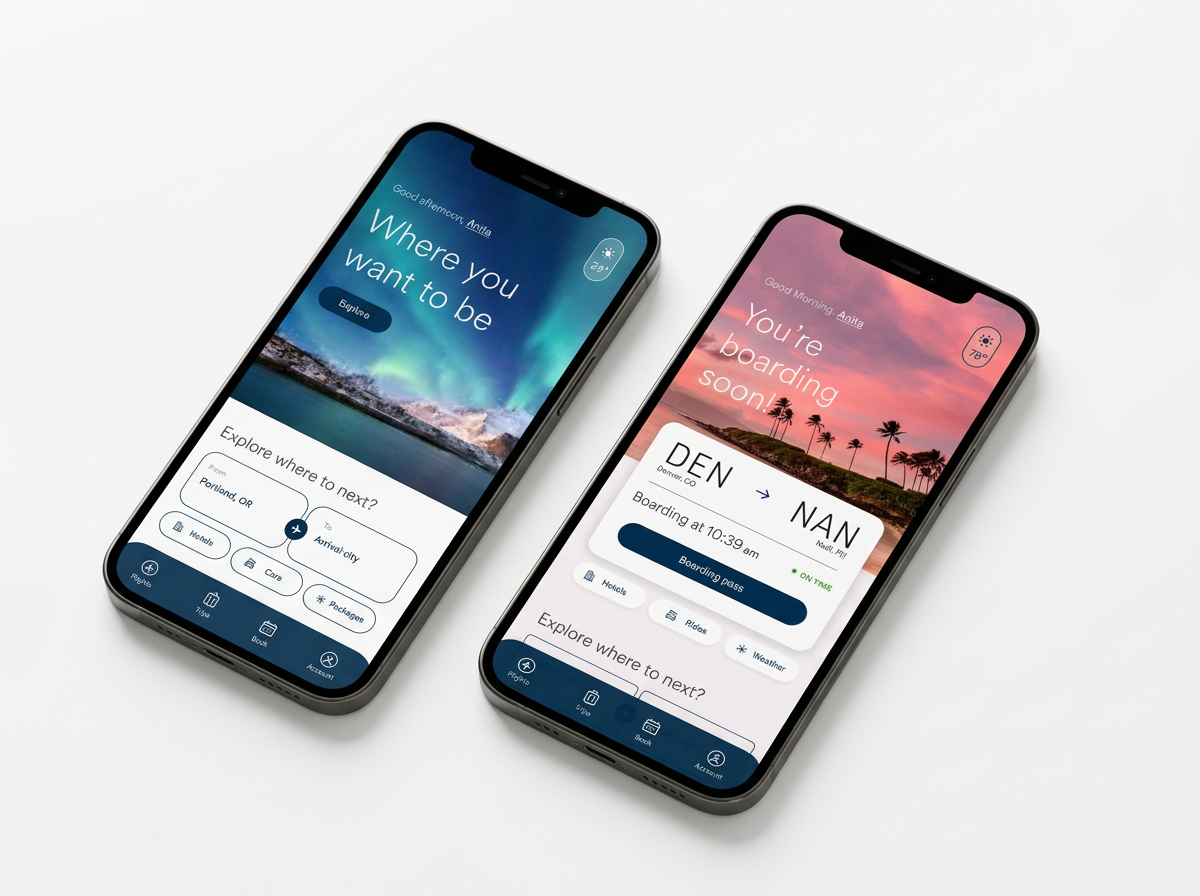
To reimagine the travel journey as one continuous flow of effortless decisions and delightful discoveries, turning complexity into clarity and every step into second nature. To provide an inspired, caring experience that won't just simplify travel, but set a new standard for how it should feel.
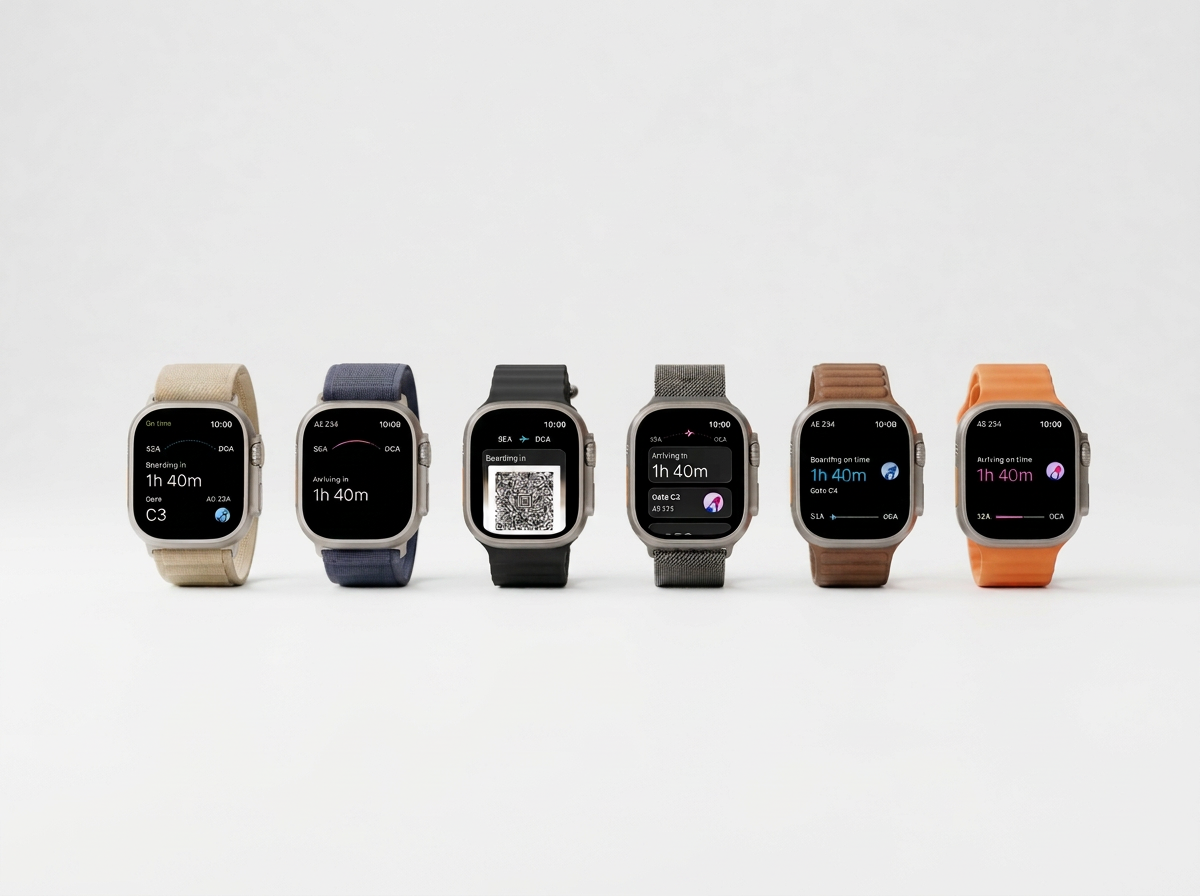
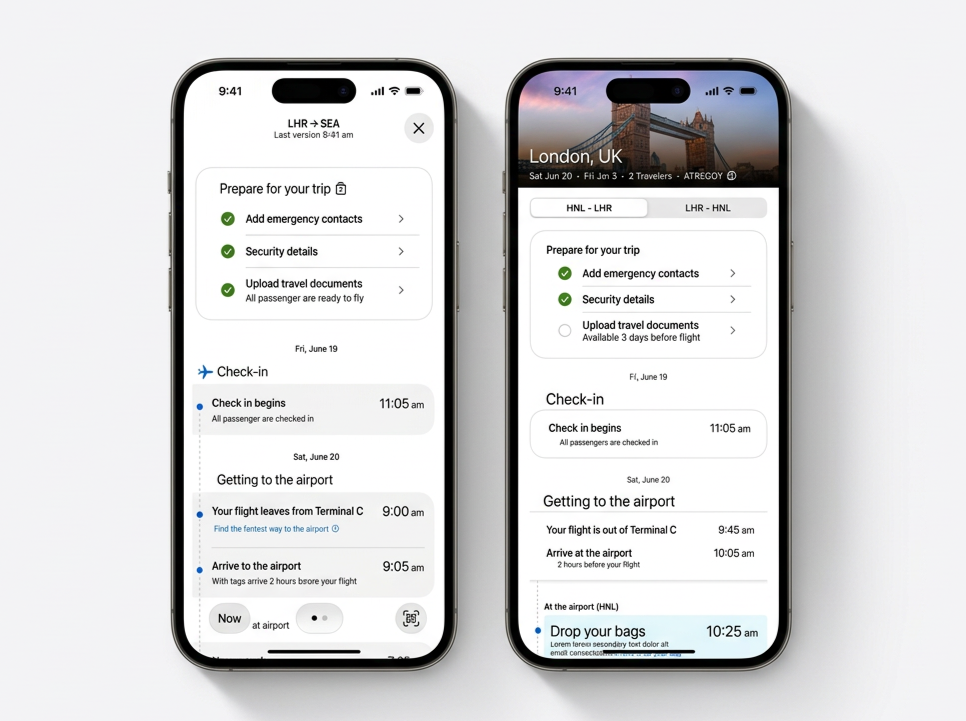
Designed for two kinds of travelers
What a design-focused approach looks like:
Fusing guest and business needs in a cohesive way that elevates both the Alaska and Hawaiian brands
Giving guests flexible tools to manage their own travel experience
Mixing in upgrades and ancillaries in a way that feels natural and helpful
Designed and built to work across all digital experiences, web and mobile
Planners
See the whole trip early and finish tasks ahead of time
A pre-trip checklist and a day-by-day itinerary
Uploads travel documents a week out
Spontaneous travelers
Know only the next thing to do, right now
A live status card and timely nudges
Taps "Get a ride" when the app says it's time to leave
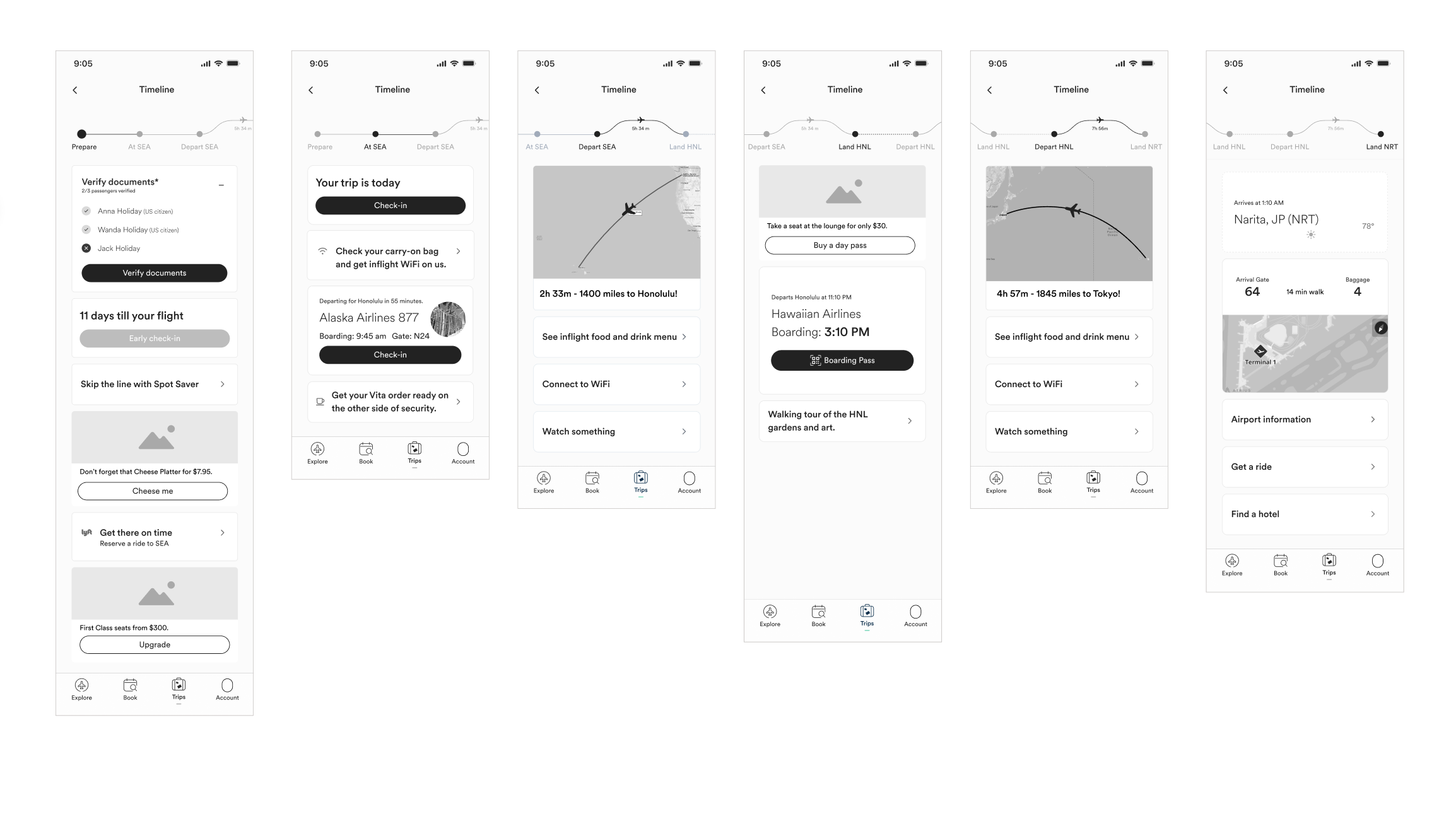
Wireframes
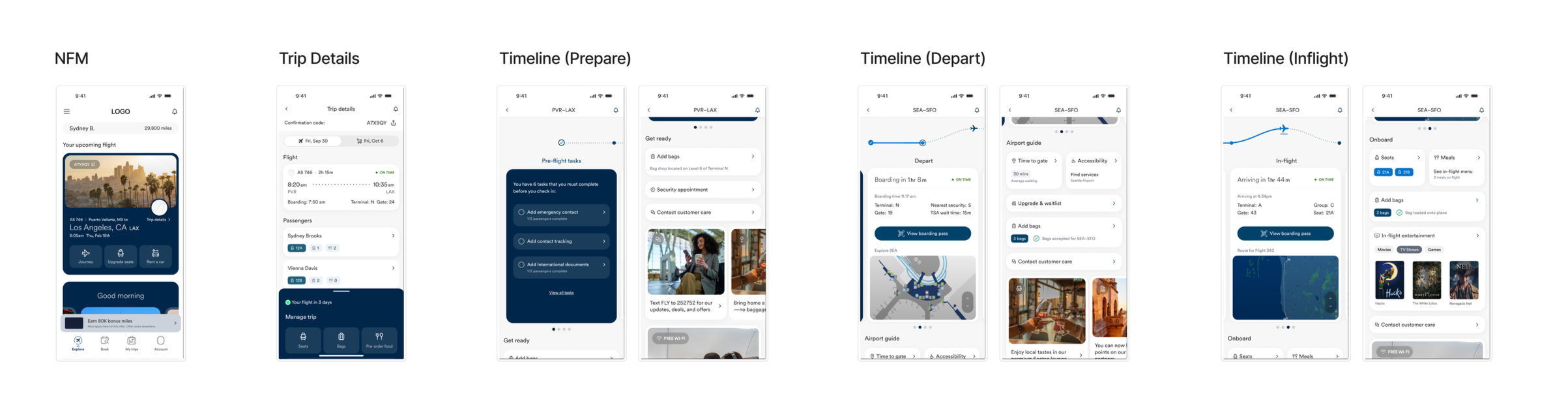
The timeline feature follows the trip in order. At each stage it shows the one thing that matters now, with everything else is findable.
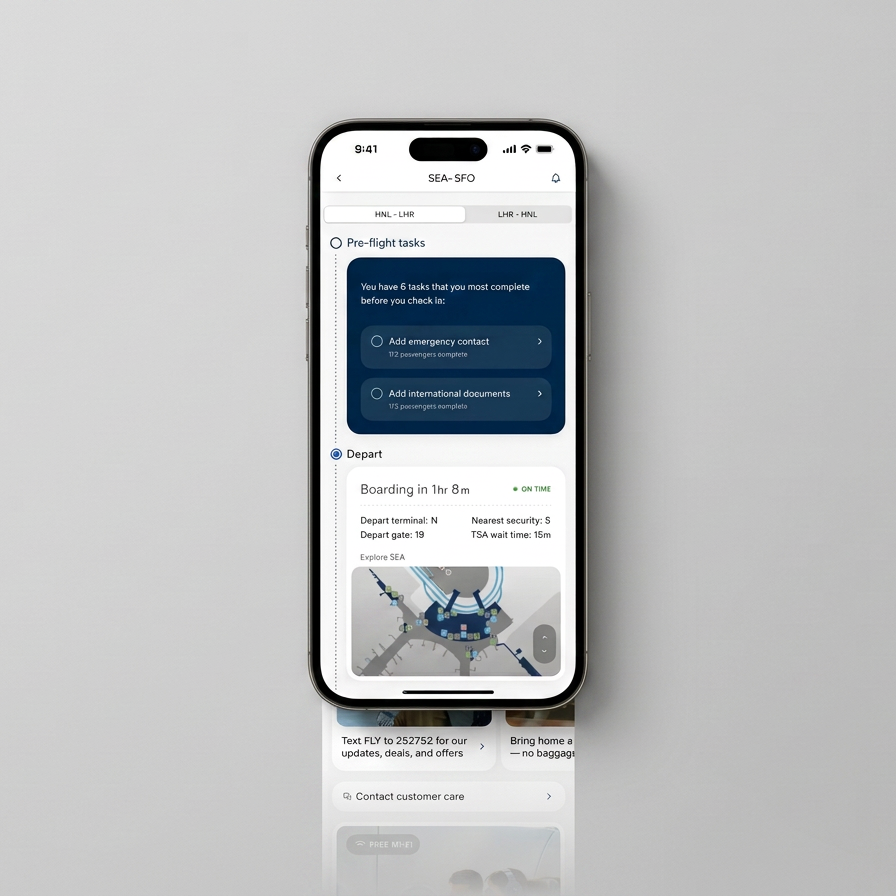
After booking: prepare for your trip. A short checklist sits at the top of the trip: emergency contacts, security details, travel documents. Each item shows progress for the whole party ("2/2 travelers complete"). Planners finish early; everyone sees what still blocks check-in.
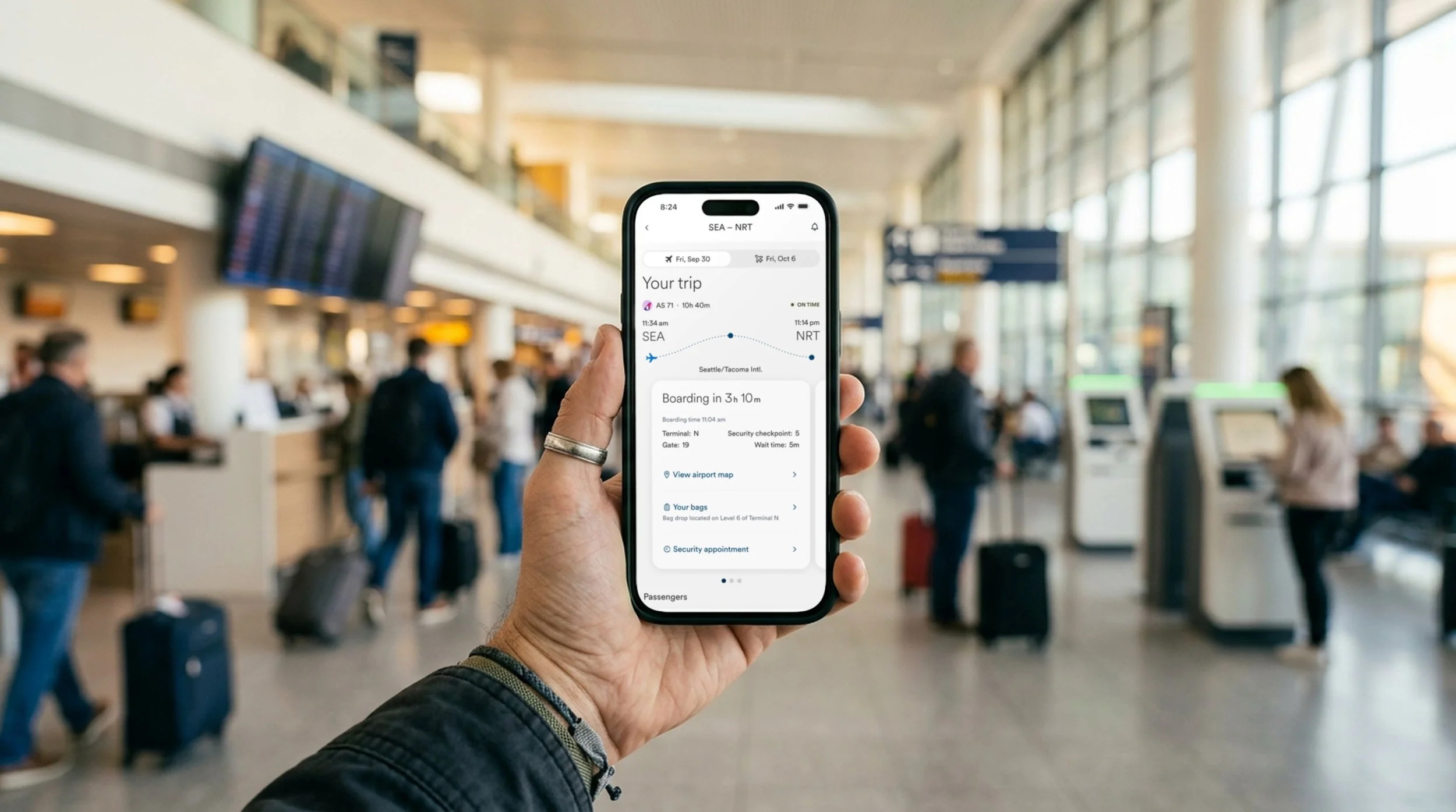
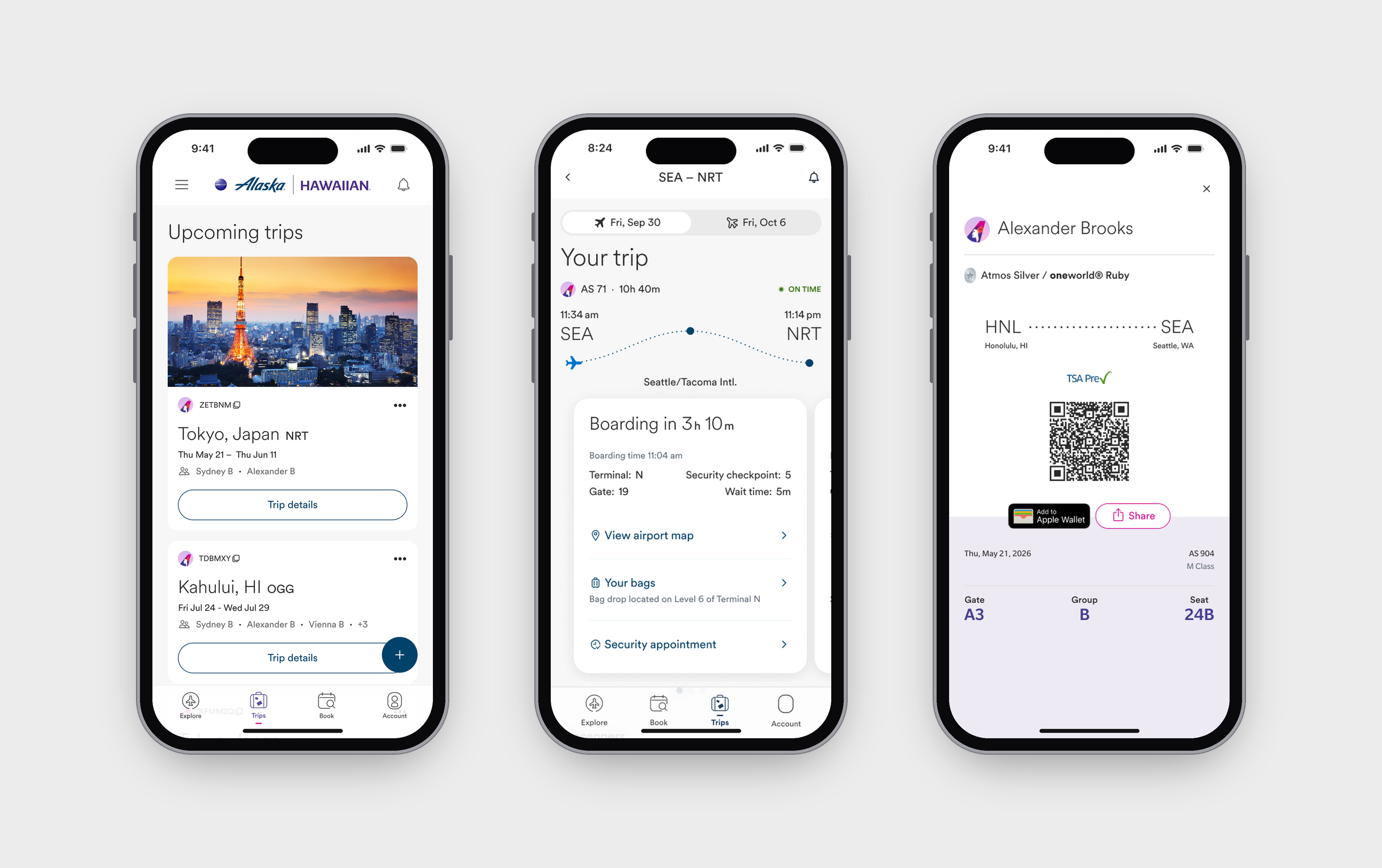
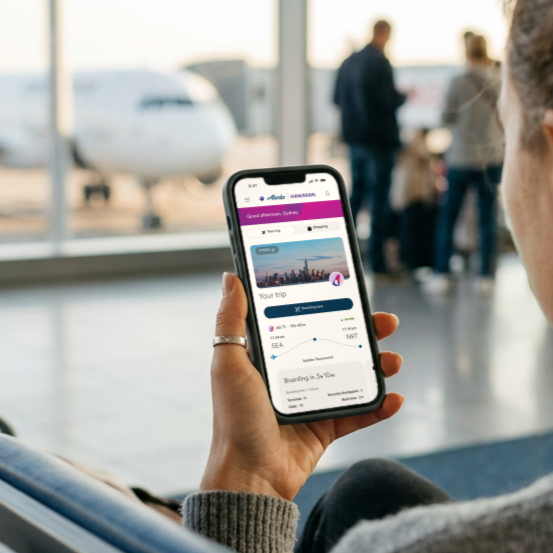
Day of travel: Live cues. "Boarding in 3h 10m" leads, with terminal, gate, security checkpoint and wait time below. The airport map, bag drop location and security appointment are one tap away. On the day of travel, the home screen leads straight here, and a guest who leaves the trip view comes back to the same place.
At the airport: the boarding pass, ready. The pass opens with gate, group and seat large enough to read at arm's length, plus TSA PreCheck and Add to Apple Wallet.
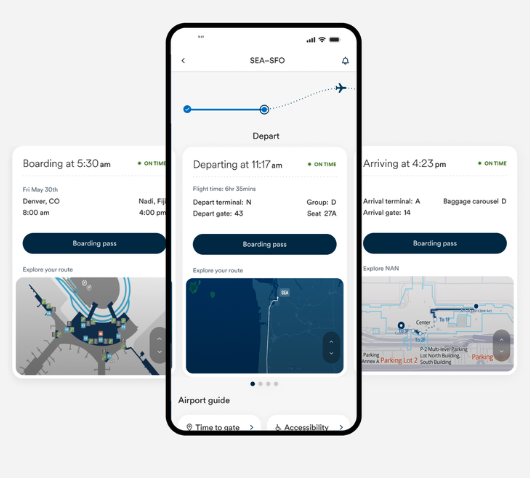
Boarding and beyond. Each flight has its own detail card with live status, terminal and gate for both departure and arrival, and the layover time between flights.
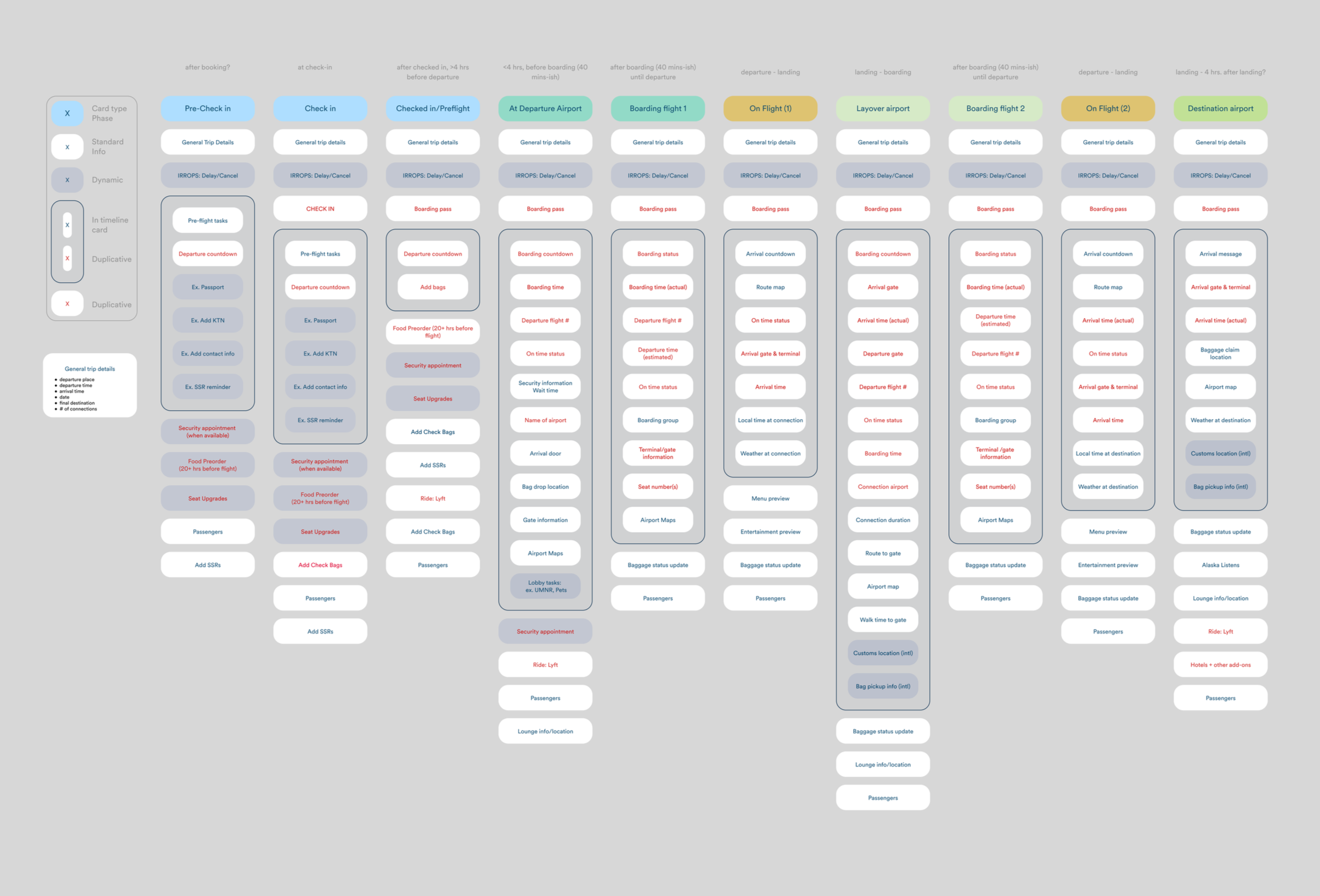
Dynamic content planning
Urgent moments are stressful, we designed the content to be dynamic so the information you need now is easy while you can also find information to prepare for future events. The design plans for them in the same timeline, not in a separate alert:
Live status on every flight: an "On time" chip that changes when the flight does
Time-boxed steps: boarding countdowns and "Last call in 3 min, 43 sec" when gates are closing
Next steps at hand: the airport map, bag location and customer care stay one tap away, so a guest never has to hunt for help
Timing updates you can trust.
Design & interactive prototype development
Inconclusive Preference Testing
Vertical scroll vs. Horizontal swipe
The horizontal swipe moves through the trip one step at a time. I was passionate about the horizontal swipe. Vertical scroll shows the whole trip as one list. Testing with a complex prototype split preference 50/50, and the split followed age: guests older preferred the vertical scroll, while younger guests preferred the horizontal swipe
"It's like insta, I like it" - Tester, 26
“Scrolling is easier for me," - Tester, 45
What I learned
Alignment is harder than design. When everyone thinks they know what you’re working on, it’s hard to find alignment.Testing won’t always give you an answer. Being proactive with testing may feel like the best option, but it doesn’t always lead to a clear result.Sometimes you have to trust your gut and move forward.Working prototypes build confidence. Complex prototypes that people can actually use help build confidence in your idea.Useful tools drive adoption, not new UI. You can redesign an app endlessly, but if it doesn’t give guests the tools they need, adoption won’t rise.The app shapes the lobby. This connected to my work across the airport lobby. The more robust the app became, the more prepared and confident guests were when they arrived. Prepared guests move faster through kiosks and bag drops, so a strong app and Live Activity make day of travel calmer and lead to a better journey overall.
Trip on the lock screen
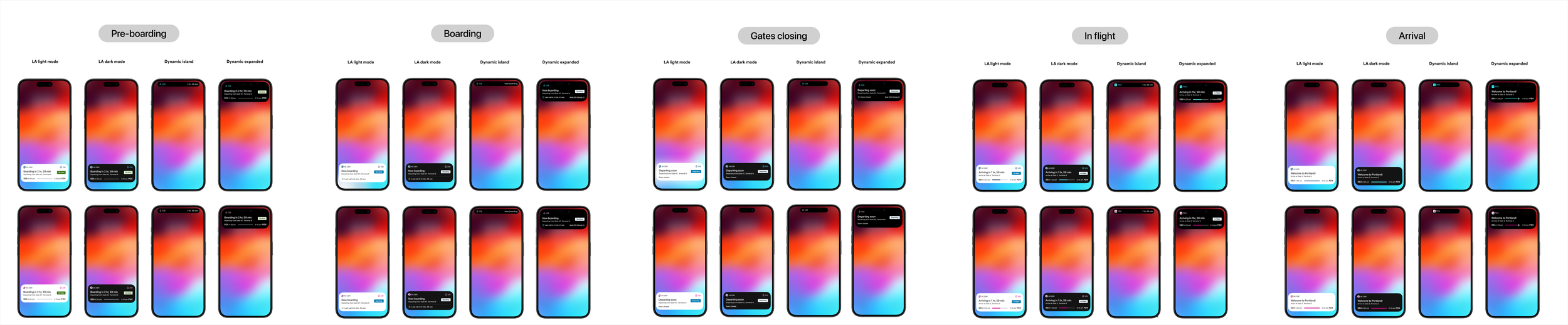
The Live Activity shipped first, bringing timing cues to the lock screen and Dynamic Island. Most of the trip, the phone is in a pocket, not open to the app. So the hub extends to iOS Live Activities and the Dynamic Island, where updates arrive without the guest asking.
One Live Activity follows the whole flight and changes its message at each stage: pre-boarding, boarding, gates closing, in flight and arrival. Each state leads with the single fact that matters then, like a boarding countdown, a last-call timer, a flight progress bar or the arrival gate.
Four surfaces per state: lock screen in light and dark mode, the compact island and the expanded island
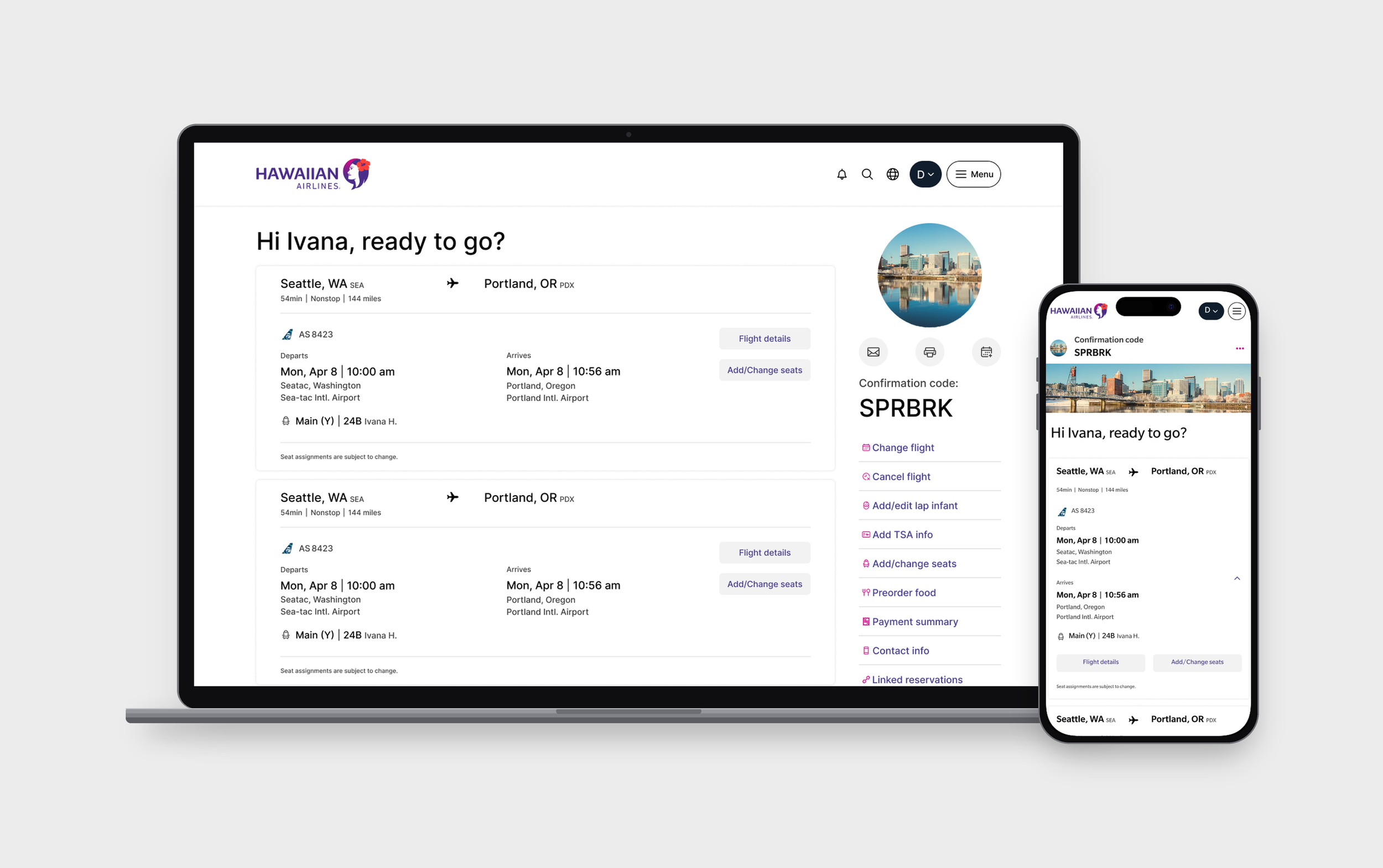
Two airlines, one component: the same layout themes for Alaska and Hawaiian, so only color and logo change